 Catalika
How do I take orders on WhatsApp from my product list?
Put your products on a Catalika shop link and share it in your chats. Customers fill a cart and tap Order on WhatsApp. The full order arrives in your chat as one message, is saved in your dashboard, and counts your stock down.
Last updated
What are the four steps?
One order, from the moment a customer opens your link to the moment it is saved in your dashboard.
- green-basket.catalika.com
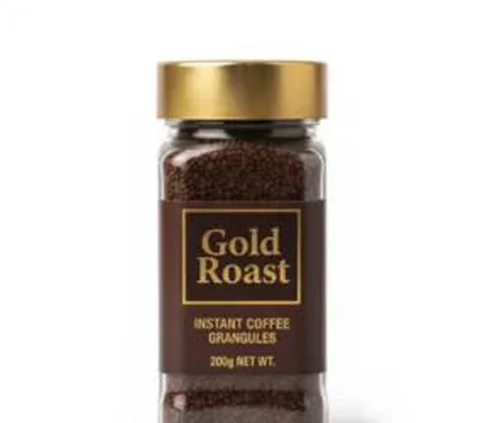
Gold Roast Instant Coffee 200g
12 in stock
Add to cartShe opens your link
It opens in her browser. Nothing to install and no password to make up.
- Cart
Gold Roast Coffee
2
Ceylon Gold Tea
1Discount codeWELCOME10
Order on WhatsAppShe fills a cart
Quantities, sizes and discount codes, the way a real shop does it.
The order lands in your chat
One message with everything in it. No more asking for the address three times.
It is saved, and stock counts down
Every order sits in your dashboard too, and sold-out products mark themselves on your shop.
Green Basket, Priya and this order are examples, shown to explain how it works.Place a test order in the live shop
What does the customer have to do?
Open your link, choose, and tap one button.
Your shop opens in the customer's browser: nothing to install and no password to make up. They add products to the cart, change quantities and pick sizes, and can apply a discount code if you have given them one.
Before ordering they give their name and phone number, and a delivery address if you ask for one. Then they tap Order on WhatsApp. WhatsApp opens on their phone with the whole order already written to your number, and they press send.
What arrives in my WhatsApp?
One message with everything you would otherwise ask for.
- The order number
- The customer's name and phone number
- Each product, with its size or variant and the quantity
- Any discount code, and the total
- The delivery address and a note, when you ask for them
The same order is saved in your Catalika dashboard, and the stock of each product goes down by the quantity ordered. When a product drops to 5 or fewer, you get a low-stock email.
How is this different from taking orders in chat by hand?
The chat stays. The typing, re-asking and counting go.
| Orders by hand in chat | With a Catalika shop link | |
|---|---|---|
| Showing what you sell | Photos or a PDF, sent again after every change | One link with today's products, prices and stock |
| Getting the order | The customer types it out; you ask for size, quantity and address | One message with items, quantities, name, phone and address |
| Keeping a record | Scroll back through chats | Every order saved in your dashboard |
| Stock | Counted by hand | Counts down after each order; sold-out products are marked on your shop |
Questions sellers ask
Does my customer need an account or an app?
No. Your shop opens in their phone's browser. They give their name and phone number when they order, and that is all.
What if the customer does not press send in WhatsApp?
The order is saved in your dashboard before WhatsApp opens, so you still have it, with their phone number.
Can customers order without WhatsApp?
Yes. They can place the order in the shop instead. You get an email, and the order is in your dashboard.
Do customers pay on WhatsApp?
Catalika does not process payments. You confirm the order and collect payment the way you already do: UPI, bank transfer or cash.
What Catalika costsIs this better than the free WhatsApp Business catalog?
They do different jobs. WhatsApp's catalog lives inside the chat; Catalika gives you a shop link with a cart and a saved record of every order.
Catalika or the WhatsApp Business catalogYour shop can be live before your tea goes cold.
Free while in early access. Every feature included, no card, and no time limit on your shop.
+91 87587 87534contact@catalika.com
Open the live shop